Enroll with Token2 HOTP
Set up a Token2 HOTP USB key as your MFA method: UserLock programs the key, and you touch it at sign-in to enter the code.
A Token2 HOTP key is a USB key that generates counter-based one-time codes (HOTP). During enrollment, UserLock programs the key, so you don’t install anything on your computer. At sign-in, you touch the key and it enters the code for you.
Note
Some Token2 keys also work as FIDO2 security keys. If your organization asks you to use your key as a security key, follow Enroll users with a FIDO2 security key instead.
A Token2 key with HOTP support, such as the Token2 T2F2-ALU. See Token2’s list of UserLock-compatible keys.
Your domain credentials.
If you already use another MFA method, ask your administrator to reset your MFA configuration first.
Plug the key into a USB port of your computer. Enroll from a session opened directly on the computer, not through Remote Desktop, VPN or a web application.
Sign in with your Windows credentials.
When UserLock asks you to set up MFA, select USB Token.
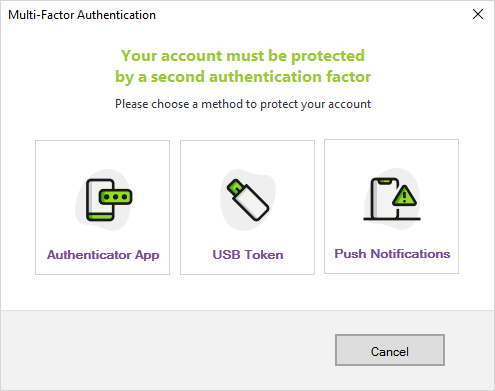
UserLock detects the key. Select Link Token2: UserLock programs the key without displaying the secret, then shows Valid.
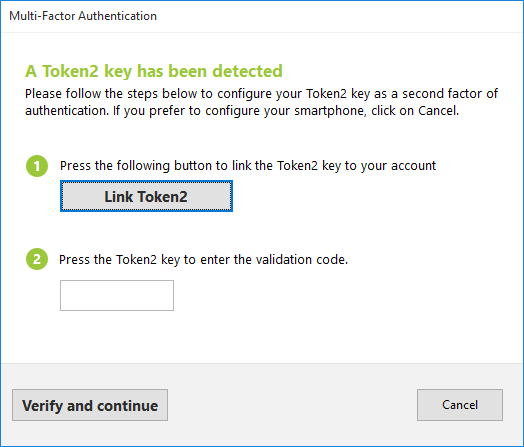
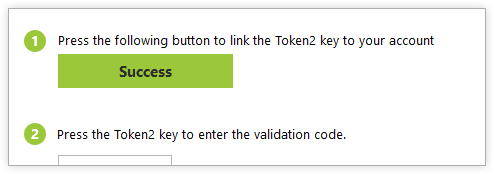
When the cursor appears in the code field, touch the key. It enters a 6-digit code and completes the setup.
If UserLock asks you to set up an additional method, follow the on-screen instructions. If you can’t, contact your administrator.
You can then also sign in through Remote Desktop, VPN and web applications with your key.
Plug the key into a USB port. For a Remote Desktop session, plug it into your own computer.
Enter your Windows credentials.
When prompted, touch the key. The code is entered automatically and you’re signed in.
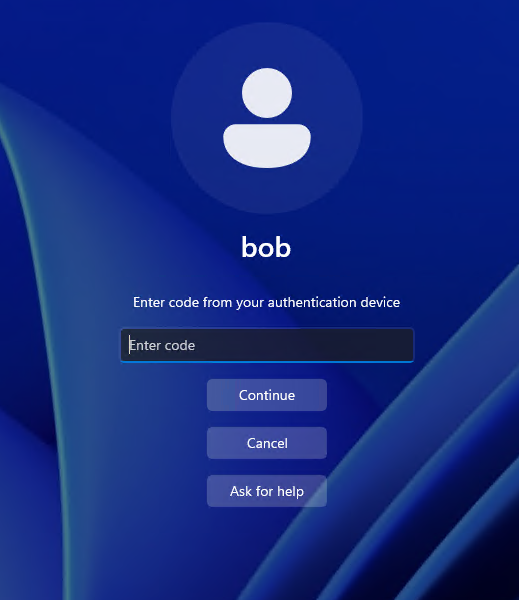
“This code is invalid” after many offline sign-ins. The key’s counter can drift from UserLock’s. Contact your administrator.
Enrollment fails in a Hyper-V virtual machine. Enroll from your physical computer. You can then sign in to the virtual machine with your key.
You lost your key. Contact your administrator. If you enrolled an additional method or saved recovery codes, use them to sign in in the meantime.