Warnings
Monitor the FileAudit service health through logged operational events, the Warnings view, and email notifications.
FileAudit monitors its own operation and records events generated by its own service. These events give administrators visibility into the operational status of auditing and help identify issues that could interrupt it.
The following events are logged:
FileAudit service start and stop
Database connection failures and recovery
Database insertion failures and recovery
Licensing issues and license validation
Email notification failures and recovery
Disk space warnings when the drive hosting the SQLite database falls below the configured threshold (5GB by default)
FileAudit console connection issues with audited servers
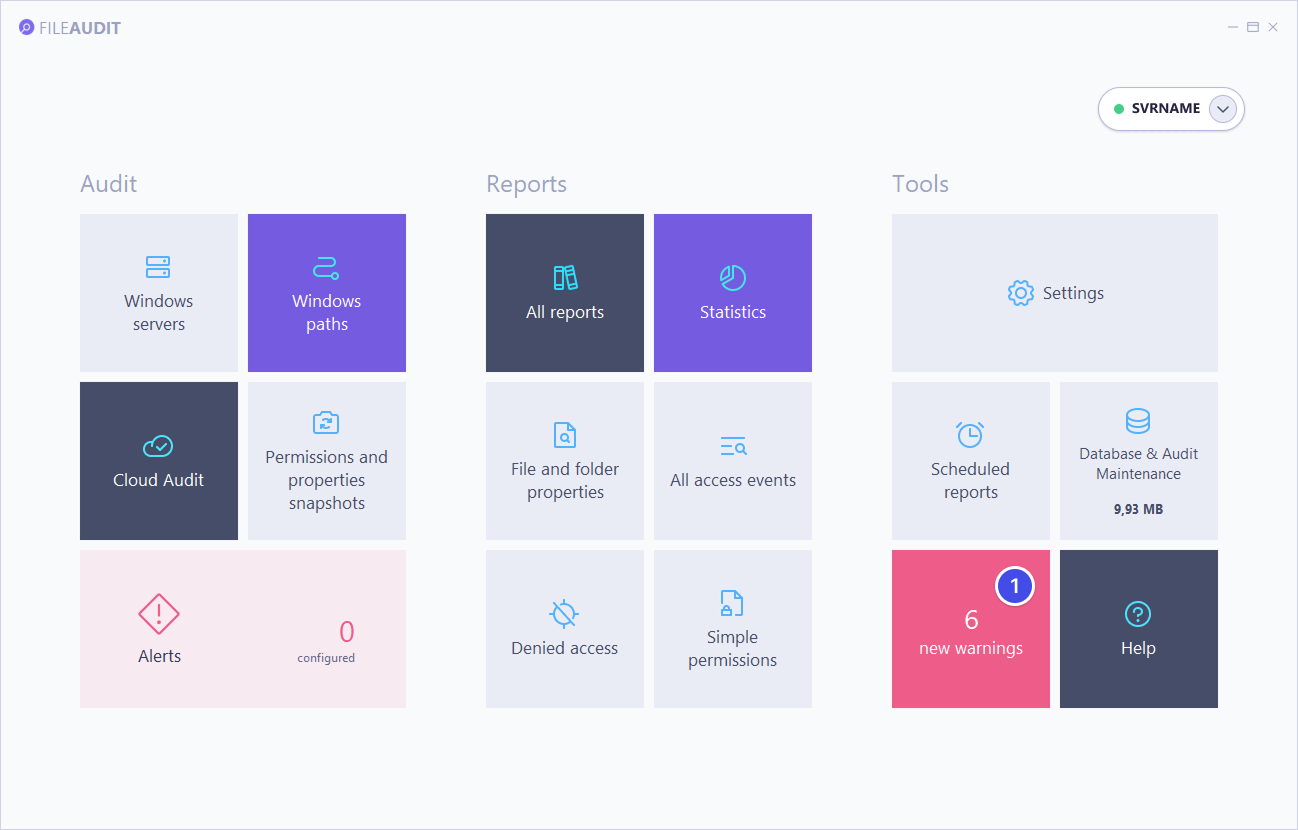
A dynamic Warnings tile is available from the console hub. The number shown on the tile is the count of new events recorded since the FileAudit console was last opened. Selecting the tile opens the Warnings view.
The Warnings view displays the 10 most recent events detected by the FileAudit service. Each entry shows:
the event type
the date and time
the source
the event message
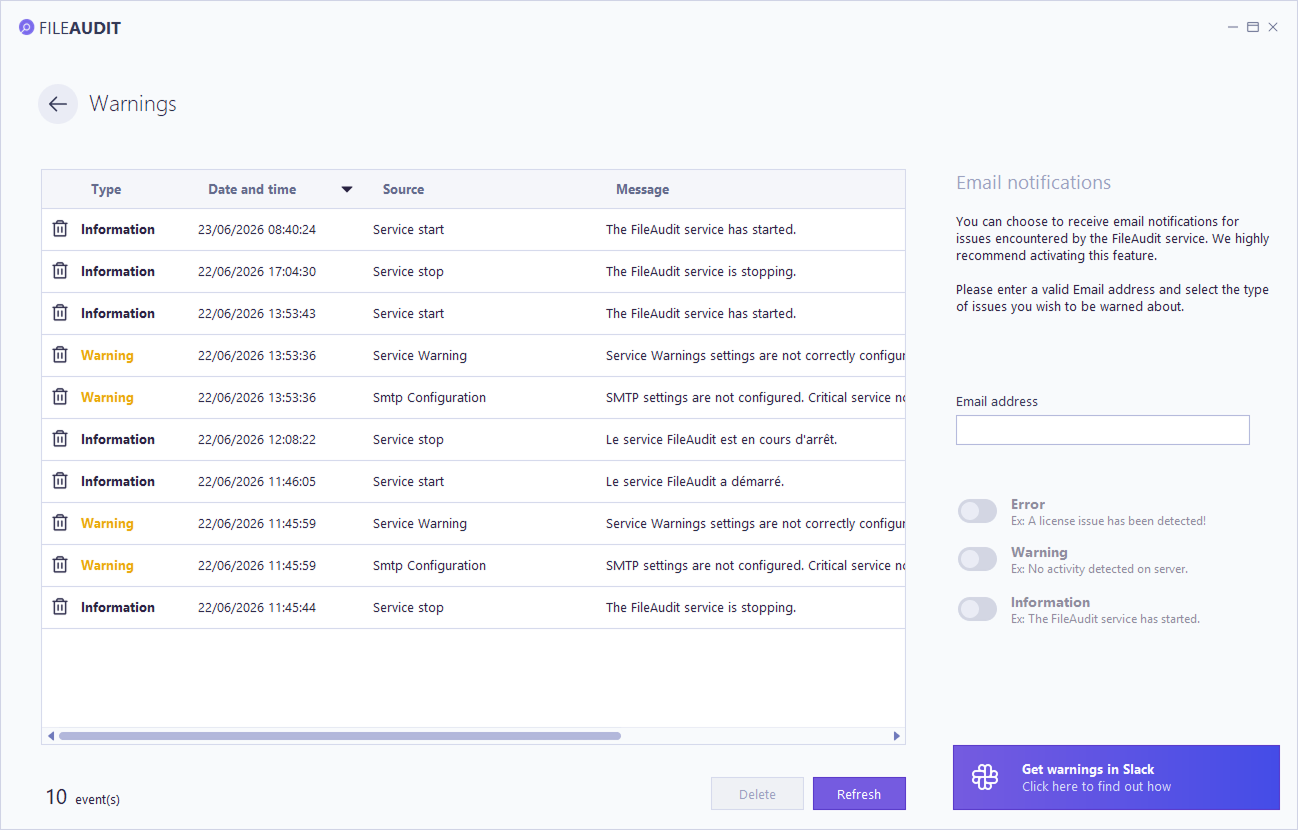
FileAudit can send an email when a warning event occurs, so administrators are alerted to service issues without monitoring the console. Notifications are configured from the Warnings view or the Service tab in Settings.
To enable notifications:
Enter a valid email address.
Select the event severities to be notified about: Error, Warning, or Information.
To disable warning notifications, remove the email address or turn off all severity switches.
Note
If email settings have not been configured yet, an error message appears in the interface. Selecting it opens the email settings, where you complete the SMTP configuration.
See Configure email settings for the full procedure.