Manage permissions and properties snapshots
Capture and schedule snapshots of file and folder permissions and properties, and clean up old snapshots to save database space.
Snapshots are managed from the Snapshots permissions and properties page in the Audit section. From there you can:
generate a snapshot immediately,
schedule one for later,
review the status of every snapshot.
Before starting, decide whether you need file and folder permissions in the snapshot: including them makes the scan slower and larger in the database.
Note
For a full description of what a snapshot captures and how to read it, see Permissions and properties snapshots Reference.
Open the Snapshots permissions and properties page in the Audit section.
Launch the snapshot wizard.
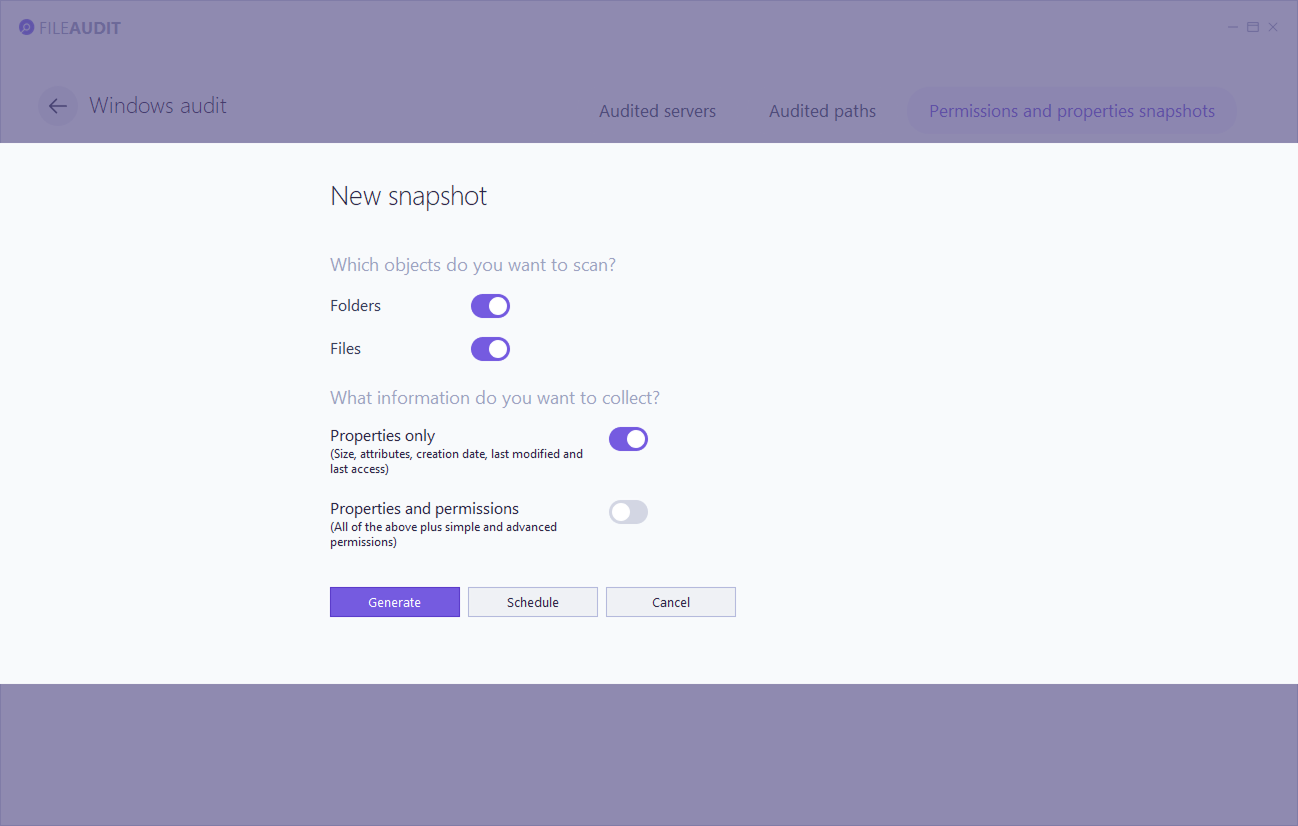
Select the object type(s) to scan: files, folders, or both.
Choose whether to include file and folder permissions. Leave it off for a faster, lighter scan if you only need properties.
Click Generate.
The snapshot runs immediately. If another snapshot request is already in progress, the job is queued and runs once the previous one finishes.
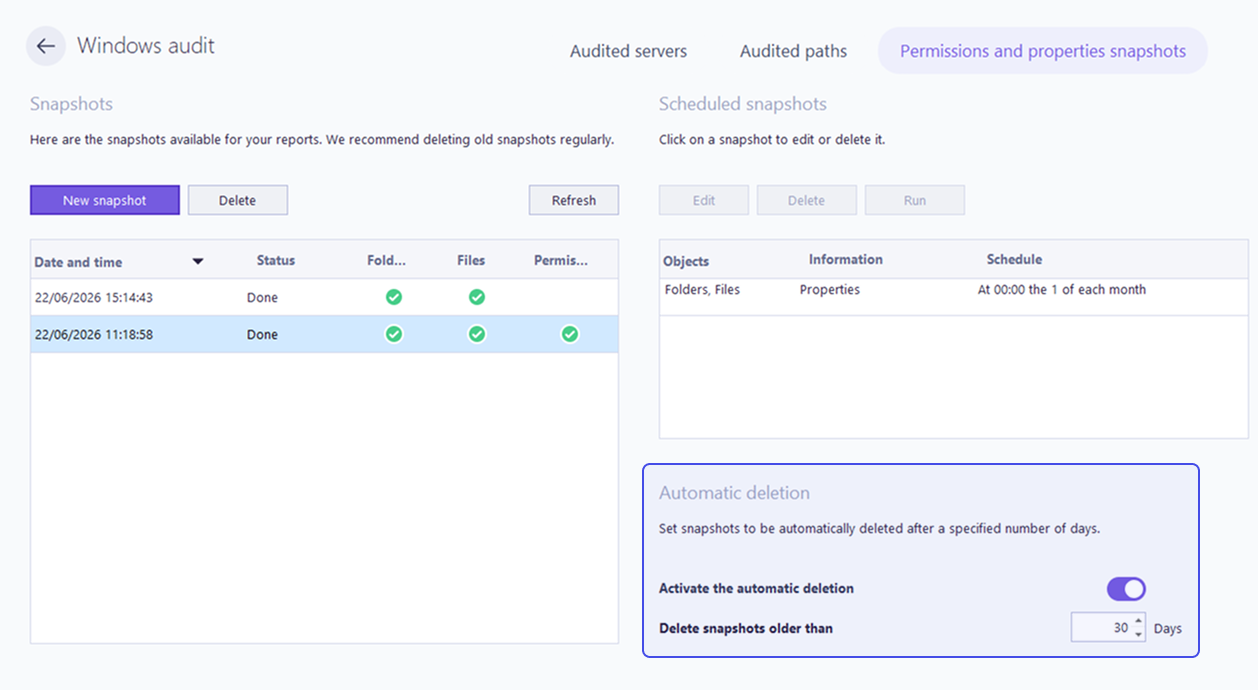
The snapshot management page lists every snapshot that is completed, in progress, or queued, along with what each one includes and its status. You can also delete a snapshot from this list.
To run a snapshot at a more convenient time, for example outside working hours, schedule it instead of generating it immediately.
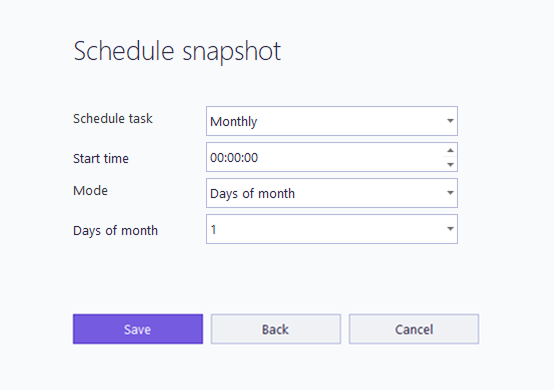
In the snapshot wizard, click Schedule instead of Generate.
Configure the schedule in the form that opens.
Click Save.
FileAudit adds a corresponding task to the Windows Task Scheduler.
Scheduled snapshots appear in the snapshot management page alongside on-demand ones.
Every snapshot takes up space in your database, so delete the ones you no longer need on a regular basis.
If your database is growing faster than expected, automatic snapshot deletion is one of the quickest ways to reclaim space, especially when snapshots include permissions.
Enable automatic deletion.
Specify the number of days after which snapshots are deleted.
Snapshots older than that threshold are then removed without manual intervention.