Permissions and properties snapshots
Understand what a FileAudit snapshot captures: object properties, simple and advanced NTFS permissions and inheritance.
A snapshot is a point-in-time capture of the properties and permissions of the files and folders in your audited paths. FileAudit scans the paths you have defined and stores the result in the database, so you can review permissions and properties as they were at the moment of the scan.
A path must be scanned before its data can appear in a snapshot. Permission reports such as Simple permissions and Advanced permissions rely on this captured data: without a snapshot, there is nothing to display.
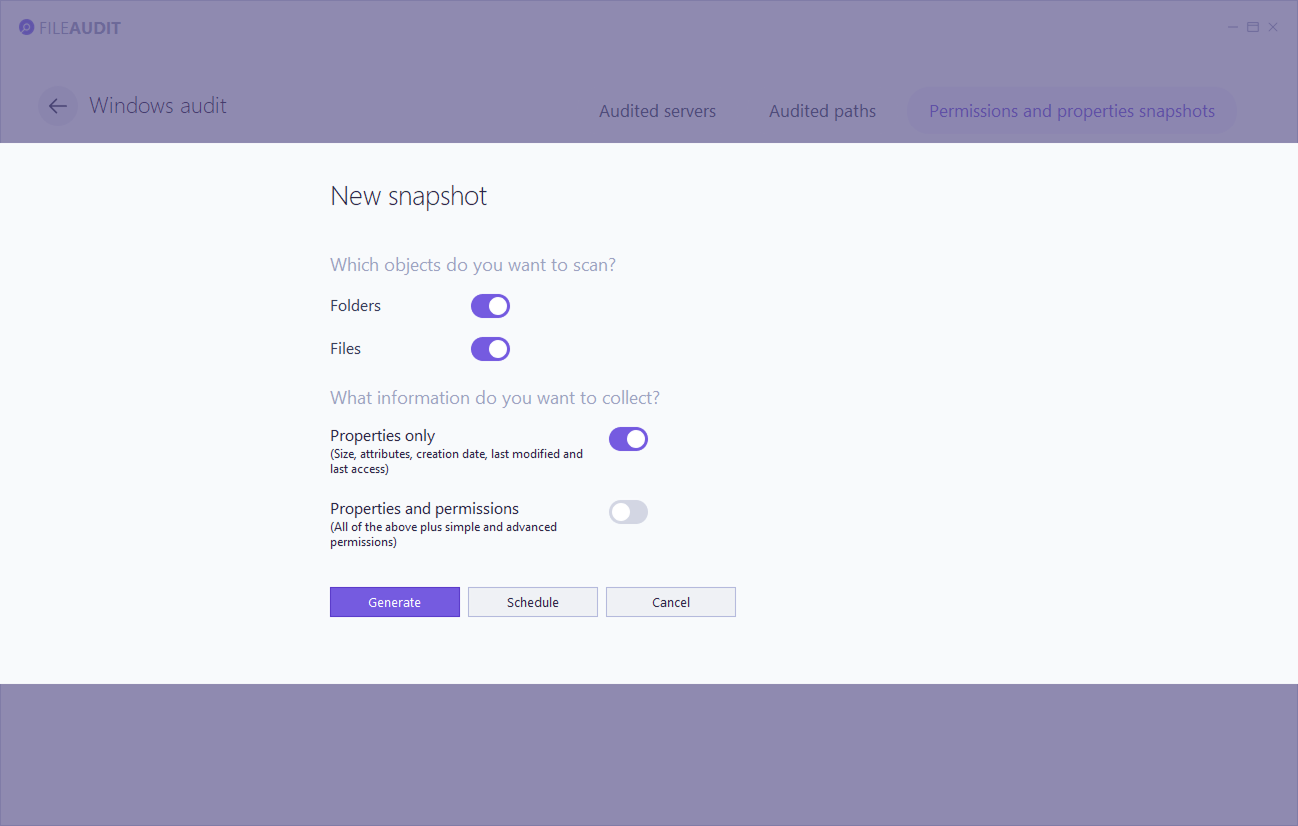
A permissions snapshot does not list every object. Only the root of each configured path is shown in full:
A child file or folder appears only when its permissions differ from its parent.
An item absent from the snapshot has permissions identical to its parent.
An absent item is not a gap in the scan. It signals inherited, unchanged permissions.
Every snapshot includes the following object properties, regardless of whether permissions are included. These describe the file or folder itself, not its access rights.
Property | Description |
|---|---|
Size | Size of the file or folder |
Attributes | File system attributes set on the object |
Creation date | When the object was created |
Last modified date | When the object content was last changed |
Last access date | When the object was last accessed |
Including permissions in a snapshot is optional. When enabled, FileAudit captures NTFS permissions as they are defined in Windows File Explorer.
Note
⚠️ Important
Retrieving permissions makes the scan longer and uses more database space. Include them only when you need them.
Permissions are captured at two levels of detail, simple and advanced. Each captured permission carries three common attributes:
Type: whether the permission is Allow or Deny.
Inherited: whether the permission is inherited from a parent object.
Owner: the owner of the file or folder.
Full control
Modify
Read and execute
List folder contents
Read
Write
Special permissions
Full control
Traverse folder / execute file
List folder / read data
Read attributes
Read extended attributes
Create files / write data
Create folders / append data
Write attributes
Write extended attributes
Delete subfolders and files
Delete
Read permissions
Change permissions
Take ownership
The snapshot management page lists every snapshot with its status:
Status | Meaning |
|---|---|
Done | The scan finished and the data is available. |
Running | The scan is currently running. |
Pending | The request is waiting for a running scan to finish before it starts. |
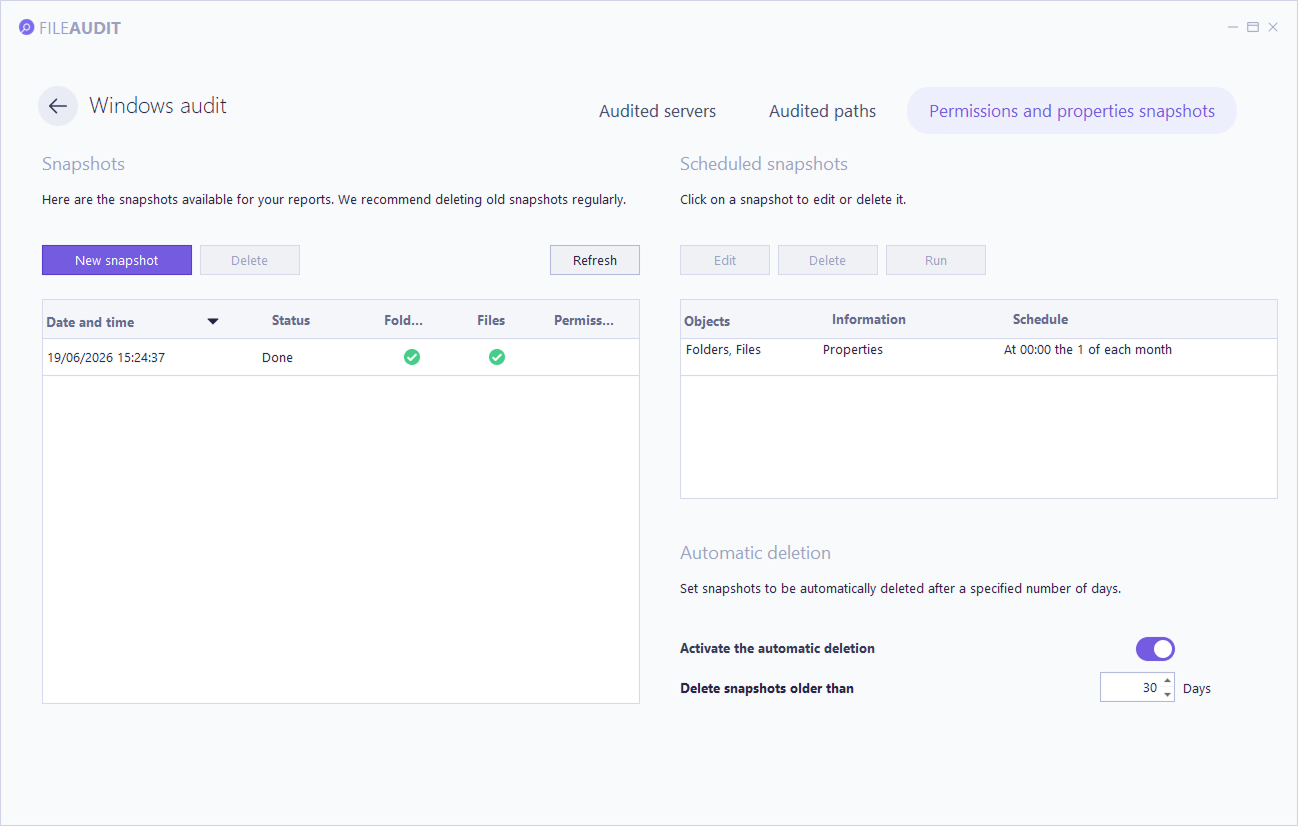
FileAudit runs one snapshot at a time. Any snapshot requested while another is running is placed in a queue and starts automatically once the current one finishes.
Each snapshot consumes space in the database, and snapshots that include permissions consume more. Plan retention accordingly on servers with many audited paths.
For how snapshot data fits in the overall storage model, see Database tables and fields Reference.
To generate, schedule, or automatically delete snapshots, see Manage permissions and properties snapshots Guide.