Console installation
Install the FileAudit Console on its own to connect to a remote FileAudit service, without deploying the service component.
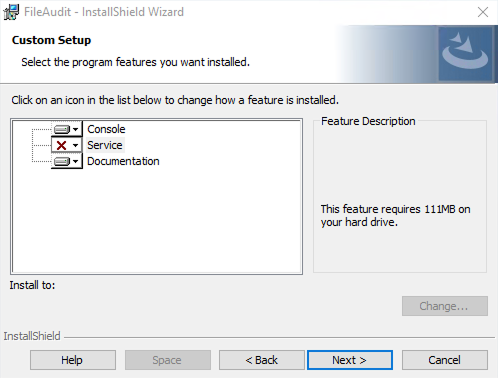
The Console installation is identical to the standard FileAudit installation, with one change: in the Custom Setup screen, you remove the Service component so that only the Console is installed.
Install the Console on its own when you want to manage a FileAudit service running on another machine, rather than installing the full product locally.
Note
Download the FileAudit setup package (
FileAudit_Setup.exe) from the download page.Verify that your environment meets the Requirements.
Use an account with administrative privileges.
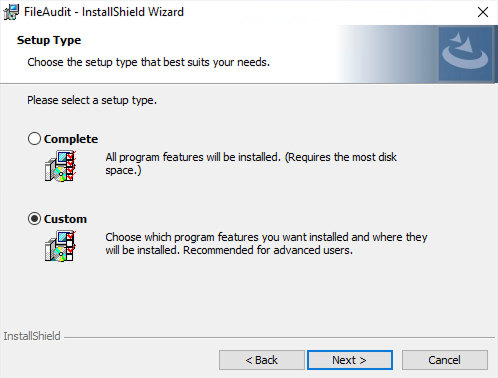
Follow the standard procedure in Installing FileAudit Getting started, with one difference at the installation type screen.
When you reach the Setup Type screen, select Custom instead of Complete, then click Next.
In Custom Setup, remove the Service feature so that only the Console component remains, then click Next.
Complete the wizard and click Finish.
The FileAudit Console is installed on the machine, ready to connect to a remote FileAudit service.
To connect this console to a service running on another machine, see Connect remotely to a FileAudit service Guide.