UserLock Identity & Access Management
MFA and access controls for on-premises and hybrid Active Directory
Secure the AD identity you already have, without rearchitecting your environment. Extend on-prem authentication to SaaS, prevent unauthorized access, and simplify hybrid AD identity protection.
)
)
)
)
The challenge of securing hybrid AD identity
Implementing MFA in an on-prem or hybrid AD environment often requires infrastructure changes or adds management overhead.
Many MFA solutions are designed for cloud-first identity and struggle with core AD realities, making it difficult to apply one MFA solution across Windows logons, RDP, offline scenarios, SaaS access, and privileged actions like UAC elevation.
Keep IAM simple with UserLock
UserLock adds modern MFA and access controls to AD, giving IT full control of AD identity access to network and SaaS resources.
Deploy quickly via lightweight agents, no changes to AD schema
Enforce granular MFA across Windows, RDP, RemoteApp, SaaS, UAC, IIS, and more
Apply contextual access controls (device, time, location)
Limit concurrent sessions and block concurrent logons
Monitor and alert on real-time AD identity access
Maintain audit trails for compliance and IT forensics
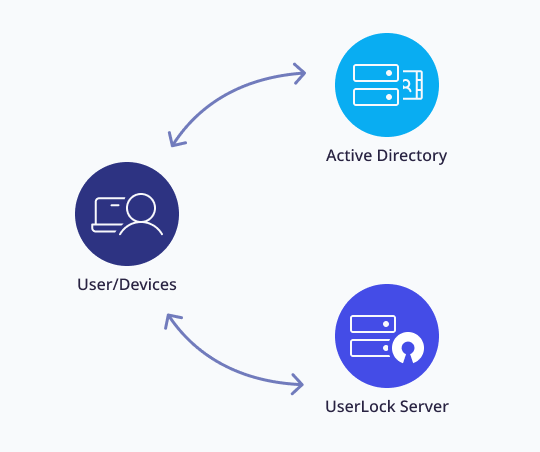
How UserLock works
A user attempts to log in to a workstation, server, or remote session
UserLock intervenes during AD authentication via a custom credential provider
MFA and contextual access policies are verified before the session opens
Every access attempt and session activity is logged, monitored, and fully auditable
What you can secure with UserLock
Protect every Windows login surface
Workstation and server
RDP, RD Gateway, RemoteApp
VPN and IIS (Exchange, Microsoft 365)
SaaS
UAC prompts
Control sessions and manage risky behavior
Block concurrent logons
Enforce session time limits
Get real-time alerts on suspicious activity
Audit and report on all access events
User session history
MFA events
Admin actions
And more

What makes UserLock different
Deploy in hours, not days
No cloud dependency
Session-based controls
Avoid MFA fatigue
Flexible MFA methods (push, hardware keys, authenticator apps)
Lightweight and scalable
Support for offline, airgapped, or off-LAN scenarios
Trusted by 3,400 teams worldwide
Read the case studyStrong 2FA and concurrent login restrictions for HIPAA compliance.
I can’t trust that someone is a legitimate user or administrator just because they were on a computer on-site. Now I can verify who’s using our computers with UserLock. ”
Mark Shorts
Lead Support Tech | Meadville Medical Center
)
Affordable, easy to use with Active Directory
UserLock allows us to have one single 2FA solution for all of our users. It integrates easily with Active Directory, and is simple to install and maintain. It’s basically an IT Manager’s dream. ”
Bill Hopkins
City of Keizer

Reviewed on

Simple and reliable.
I've tested several 2FA software. In the end, I stuck with UserLock because it requires no administrative effort. I really like the reports and the control of who is connected to which device. ”
Andreas L.
Reviewed on

Read the case studyWindows MFA meets cyber-insurance requirements
I've seen a lot of software over the years. UserLock is one of the most simple and user-friendly I've ever used. ”
IT Supervisor
US City Government
:quality(90))
)
)
)
:quality(90))
:quality(90))
:quality(90))