File auditing for Windows file server & cloud storage
Track who accessed what, when, and what they did with that access. Monitor and audit file access events across Windows servers and cloud platforms.
)
)
)
)
Audit file access for Windows file servers and cloud storage
Native Windows Event Viewer is a real pain. FileAudit gives you a searchable, centralized view of every file access event. Surface what matters. Stop digging through file audit logs.
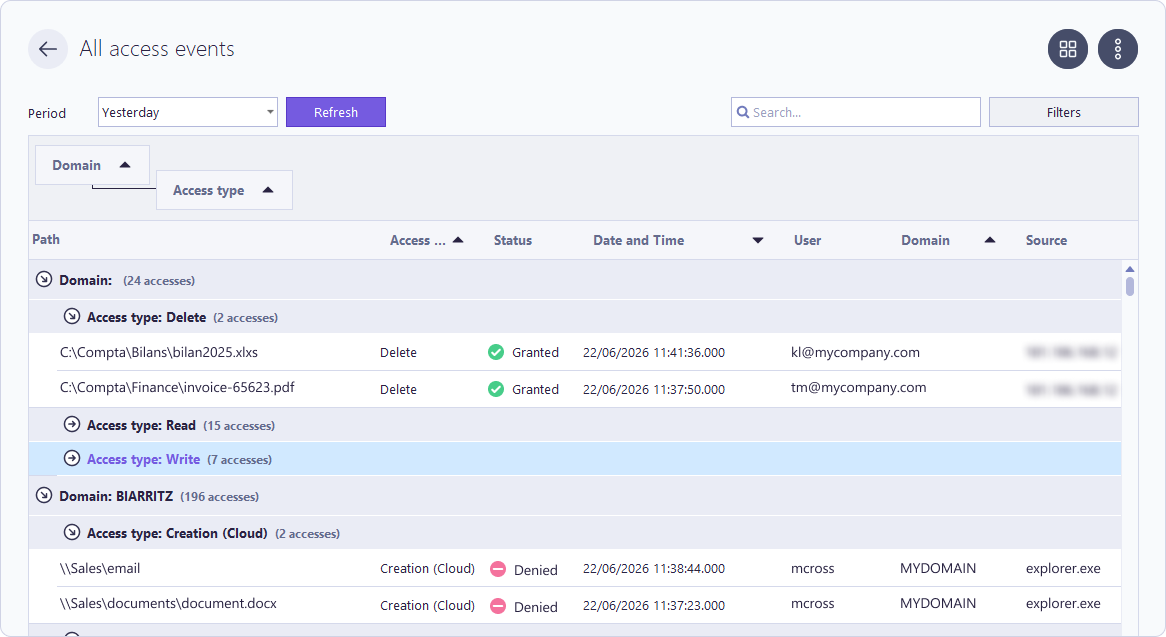
See who accessed what, when
Monitor every file and folder access event in real time, tied to a specific user account by IP address and machine name. Search and filter across Windows file servers and cloud platforms.
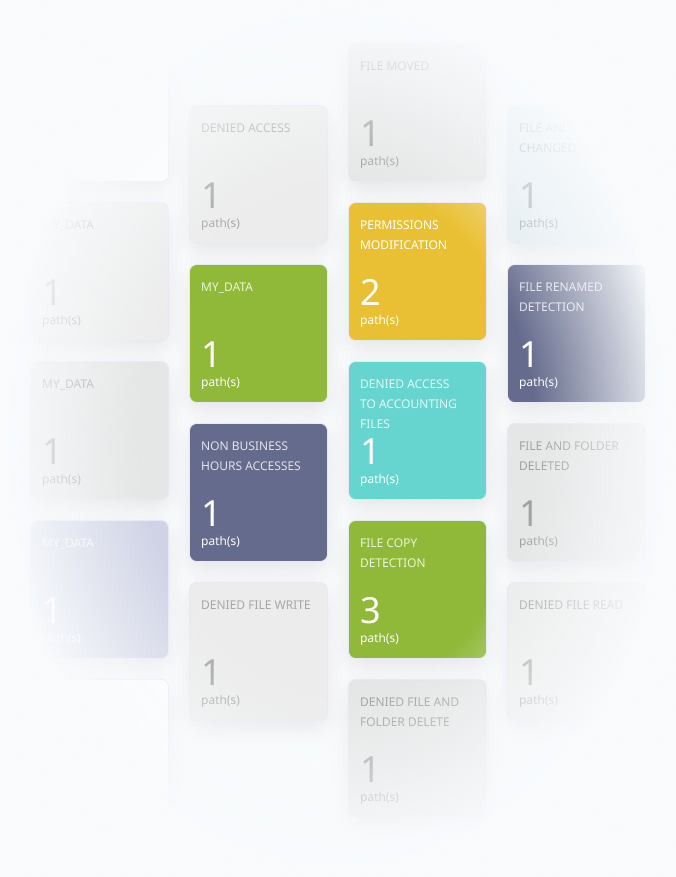
Catch suspicious file access and stop it automatically
Get alerts on access denied events, file deletions, and mass file events (bulk copy, delete, or move). Configure predefined PowerShell scripts to block the user or lock the account automatically when an alert fires.
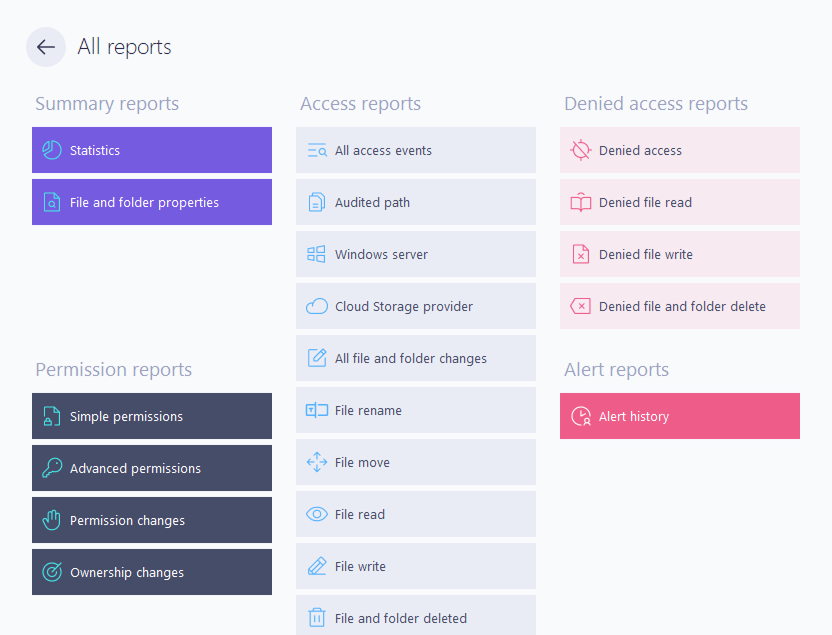
Prove what happened
A searchable file audit log that's always available helps run IT forensics faster. Identify exactly which user did what and create audit-ready reports.
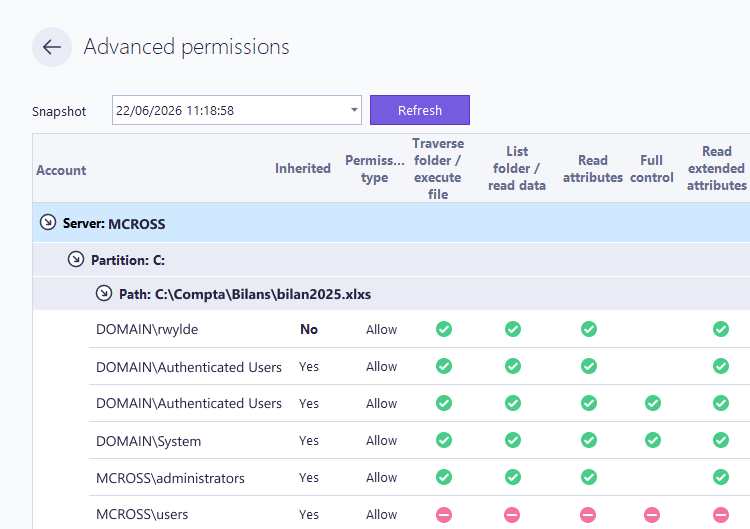
Track and report on NTFS permissions
Report on and track NTFS permissions, permission changes, and file and folder properties. See basic and advanced NTFS file and folder permissions, with properties such as size, creation date, and last modified date in one drill-down report.
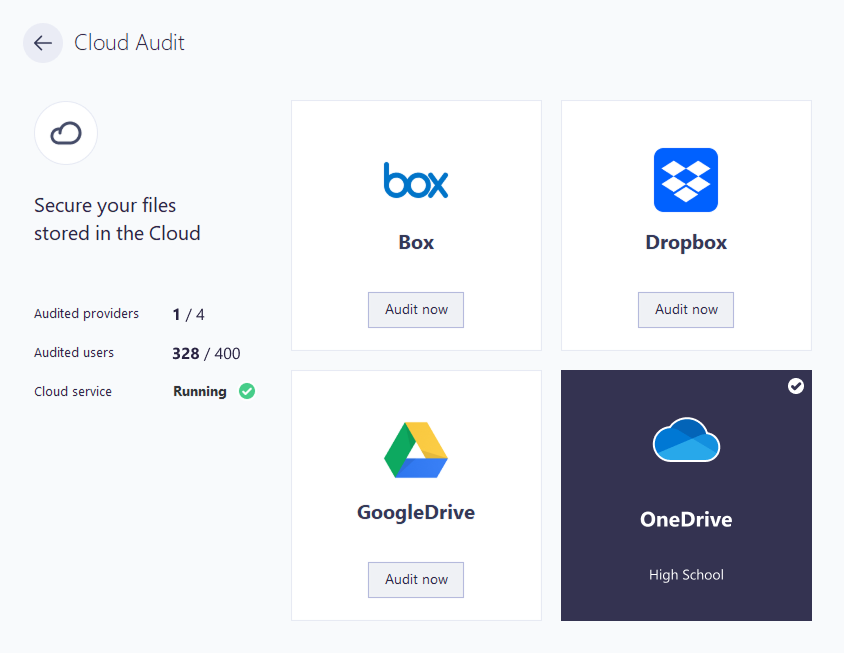
Audit cloud storage in the same dashboard
Audit access to cloud-based files and folders. FileAudit covers OneDrive for Business, SharePoint Online, Microsoft Teams, Google Drive, Dropbox Business, and Box.
One dashboard for cloud file audit logs and Windows file server auditing.
Prevent data breaches and prove compliance
See and react to user activity across files and folders in real time. A clear, centralized file access log helps protect data, detect ransomware threats early, and support compliance.
Catch suspicious activity before damage is done
Protect sensitive data from unauthorized access, theft, alteration, or deletion. Monitor live file access and set up automatic responses.
Identify who accessed (or attempted to access) data, changed file ownership, or modified permissions.
Stop ransomware at the first sign of mass encryption
Minimize ransomware risk with the ability to detect and stop mass file encryption or ransomware-generated file extensions.
Configure predefined PowerShell scripts to automatically block or log off the user when an alert is triggered, stopping the attack instantly.
Satisfy auditors without the manual effort
Demonstrate data security compliance with a single, searchable file audit log across Windows file servers and cloud platforms.
Structured reports support compliance with major frameworks and standards such as GDPR, HIPAA, ISO 27001, and PCI-DSS.
Find any file event in seconds
Search and filter across all file access events on Windows servers and cloud storage. No scripting, no custom queries.
Deploy in under 3 minutes
Install in minutes with agentless deployment. No professional setup required. Scales to any number of users.
Delegate monitoring without the risk
Give non-IT staff visibility into file access across their business line. Control stays with IT.
Extend your Windows investment
Build on native Windows capabilities. No new infrastructure, no compatibility risk.
Join 1000+ organizations that rely on FileAudit
The file auditing software trusted by IT teams at regulated organizations including healthcare, finance, legal, and the public sector.







What clients say about FileAudit
One of the best, less intrusive File Audit programs. At a very reasonable cost.
Hanns S.
IT Director

Reviewed on

Like no other. Easy to understand and use.
We got FileAudit due to a breach of trust from a key employee. We didn't expect it to happen and when it did we were dumbfounded. This adds a layer of accountability to all staff members. ”
Kevin T.
Reviewed on

Great software!
It gives you a good in depth look at who and what is accessing files on your file servers. We use File Audit to monitor mass data removal from our file server and to run reports when files get accidentally moved or deleted. ”
Mantas K.
Reviewed on
Great choice for file auditing
Our company reviewed a number of different auditing packages and in the end, FileAudit stood out to be the best of breed for both functionality and price. It took literally only minutes to get setup and running. ”
Daniel Norris
Reviewed on
