Retail ransomware attacks often start in Active Directory: Here’s how to defend it
To deploy ransomware attacks on retail, attackers exploit weaknesses in on-premises Active Directory security.
Published January 12, 2026)
)
)
)
In April 2025, Marks & Spencer (M&S) was hit by one of the most disruptive ransomware attacks ever reported against a UK retailer. The incident quickly turned into a case study of a cyberattack's worst-case scenario: months of disruption across the business and its supply chain, with costs from incident response and lost revenue running to hundreds of millions of dollars.
What happened to M&S was a huge event. Yet it later emerged that that attack began with a single reset of a privileged employee credential at an external service provider. It’s a powerful reminder that even the smallest missteps, misconfigurations, and lack of basic controls such as multi-factor authentication (MFA) can lead to major consequences. It also reminds us that no one is immune to a ransomware attack, not even the most well-resourced enterprises.
The M&S ransomware attack highlights broad issues that can affect any organization. But for the retail sector in particular, the lessons are many:
Modern retail networks are hard to defend. They rely on long supply chains built on top of data sharing, third-party service providers, and complex layers of trust. There’s a lot that can go wrong, and any point in this mesh of cooperating organizations can suddenly become a weakness.
Many retailers and their partners still rely on a core of legacy apps and on-premises Active Directory (AD). This might seem like a side issue, but it’s important to bear in mind when considering how to defend these networks.
Protecting AD is essential to retail cybersecurity. The attackers in the M&S incident used compromised (reset) credentials to target AD, specifically the domain controller file ntds.dit (NT Directory Services) that stores user accounts, group memberships, and domain password hashes.
This shows how threat actors are actively exploiting any weaknesses in on-premises security, whether it’s weak credentials, a lack of deeper account monitoring, a lack of strong authentication, or company processes that can be socially engineered.
The main takeaway: Attackers adapt quickly to target on-prem AD vulnerabilities, while defenders continue to rely on outdated assumptions.
One of the reasons attackers try their luck with on-prem systems is that they can be hard to defend. Many of these networks were built before ideas such as zero trust existed. This includes AD itself, which assumes that customers will understand how to protect it for themselves.
The main weakness in traditional on-premises security is the credential itself. Once attackers compromise this, they can assume or elevate the privileges assigned to an account. With modern hacking tools, credential compromise is fast and easy.
Compounding this is that once attackers compromise a credential, they are often then free to do what they want, including targeting AD itself.
Accounts have too many privileges and aren’t properly monitored, often because controlling them is difficult under real-world conditions.
To lower risk, teams need to build in safeguards at every level:
Protect all accounts with MFA
Limit account privileges across all users
Monitor account activity for suspicious access
MFA for Active Directory
UserLock is one of few MFA solutions that keeps everything on-premises, with granular application so security stays lightweight.
UserLock makes it easy to add MFA, single sign-on (SSO), continuous monitoring, and contextual access controls to your existing on-prem or hybrid AD setup.
For administrators, the first benefit is that it works alongside existing AD policies, so there’s no need to reconfigure domain policies.
Context-based access controls work in the background to keep security lightweight, blocking access that doesn't come from the right machine, geolocation, or is outside of working hours.
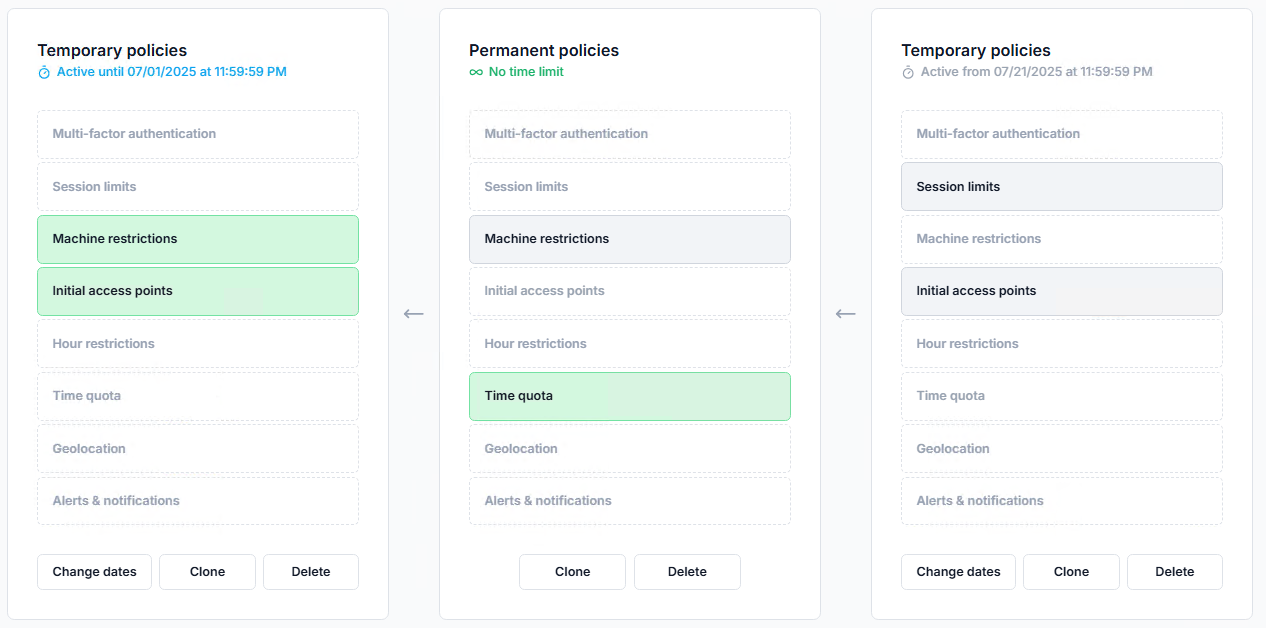
At the same time, UserLock keeps MFA flexible, so it doesn’t get in the way of user productivity.

Importantly, UserLock also helps prevent lateral movement with MFA. Even if attackers compromise a user account and gain access to other network passwords, UserLock can stand in the way of privilege elevation via Windows user account control (UAC) administrative prompts.
Thanks to UserLock SSO, IT can also bring access to SaaS apps under IT's control. UserLock SSO federates secure on-prem authentication to cloud and web resources based on the on-prem AD identity, keeping all identity and authentication workflows on-premises.
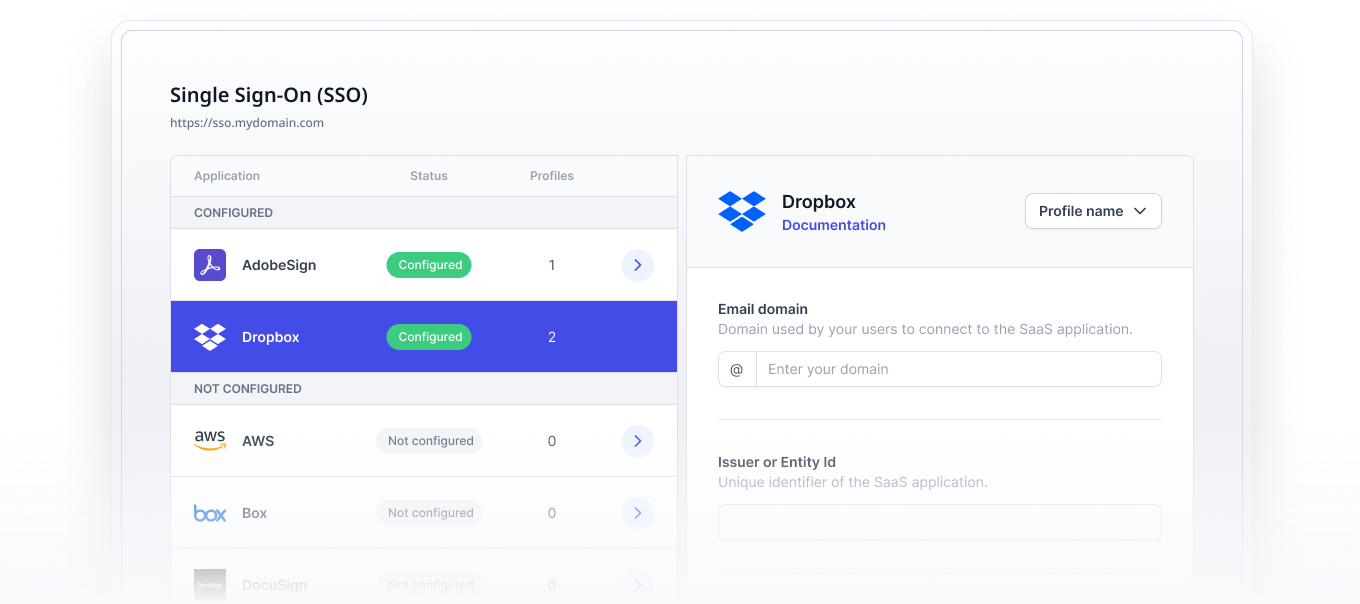
Monitoring unusual access patterns is central to good AD defense. Unfortunately, AD doesn’t offer built-in account monitoring, leaving customers to implement their own controls.
That’s where UserLock comes in. UserLock addresses this by allowing administrators to monitor active user account sessions with the ability to set up alerts in a way that isn’t possible with AD’s native controls alone.
For example, if a user tries to access a resource from an unusual IP address, administrators instantly receive an alert and can block the user account or machine.

To avoid alert overload, admins can customize alerts across a range of criteria, so they only get the notifications that matter.
The ability to report on all user account access (and access attempts) also helps speed up IT forensics and audit preparation.
When even large retailers struggle with ransomware, it’s tempting to think that the security challenge is about damage limitation. But effective defense against ransomware is possible if organizations fully assess their points of vulnerability.
The biggest of these is authentication and the processes around this such as how account credentials are set up or reset. It’s also a good idea to monitor credentials for evidence of compromise or misuse by limiting privileges, implementing real-time account monitoring, and setting up alerts.
UserLock’s strength is that it makes adding these security layers to AD as simple as possible.
Through a single UserLock server, customers can add MFA, SSO and user account control without having to migrate to a different identity system or make changes to AD policies.
The result of this is stronger on-premises identity security, with the extra insurance of account monitoring, alerts, and reporting to meet tight security and compliance goals.