Ransomware in Finance: Prevent Active Directory compromise with zero trust MFA
As ransomware attacks target finance, Active Directory security at the identity and authentication layer is key.
Published December 11, 2025)
)
)
)
Behind the headlines of many major ransomware attacks lurks an unpalatable truth: even the biggest, best-resourced, and most security-conscious organizations can be undone by a single weak or compromised credential.
Public disclosures of ransomware incidents often mention this kind of failure as an important pivot for the attackers' chain of compromise. So why are authentication failures still so common, even though the problem is widely acknowledged?
Frustratingly, tools to prevent this, multi-factor authentication (MFA), user access control, and privilege management, have been around for a long time. The problem is usually that they're not applied effectively. Adding MFA often creates more complexity and cost, especially for on-premises networks built around Active Directory (AD), which doesn’t offer this type of security natively.
Even when organizations deploy MFA, it’s not always applied universally or consistently across every account. It's no longer enough to use MFA some of the time, or only for high-privilege accounts. MFA needs to be always on, for every account, and nowhere is that more true than in finance.
Financial services organizations are known for being security-conscious, yet they’re still frequently hit by ransomware. According to the Sophos State of Ransomware in Financial Services 2024, 65% of surveyed financial services organizations reported being affected by ransomware.
While the report doesn’t detail root causes, wider experience suggests that authentication failures likely played a significant role in many of these incidents.
It’s not hard to see why a financial services company or bank would be near the top of a ransomware attacker’s target list.
The finance sector is defined by valuable customer data, the asset that ransomware gangs are most interested in stealing. These institutions also operate complex networks full of legacy infrastructure, which can be difficult to defend.
Regulation and reputation are big pressure points. Financial institutions' networks are expected to be uber-secure and constantly available. Regulators and investors see anything that puts either of these at risk as a systemic risk. The possibility of large fines or a loss of reputation arising from an incident is ever-present.
This might explain why major attacks on the finance sector are rarely publicized: sensitive to reputational damage, financial institutions are more careful not to disclose them.
For ransomware groups, the whole point of compromising credentials is to breach an organization’s defenses to target resources from the inside. Once that’s been achieved in an on-premise network, the next target will be AD Domain Controllers (DCs). AD is the foundation of network identity and access. If attackers can compromise a DC, they gain huge insight and power over that network.
Once inside AD, attackers can use this access to move laterally inside the network or to sow chaos by encrypting the DC itself. This can be difficult to detect or stop. AD lacks built-in monitoring, and security teams often only realize a compromise has happened when it’s too late to do anything about it.
Several high-profile ransomware groups are known to target AD specifically, but the same is true for any ransomware actor. AD is a critical network resource, and securing it should be a top priority.
It follows that the first line of AD defense is to properly authenticate the credentials used to gain access via the perimeter network. This puts an extra barrier in the way of ransomware attackers trying to compromise user or service accounts.
UserLock makes adding this security layer to an on-premises Windows network as simple as possible for administrators and ordinary users.
For administrators, the first benefit is that it works alongside existing AD policies and there is no need to reconfigure domain policies within UserLock itself. What UserLock offers is the ability to add a layer of security that sits at the AD authentication layer.
And, since teams can choose granular settings for MFA policies, UserLock helps keep security from getting in the way of user productivity.

It’s always a balance: not enough, or weakly configured MFA, and authentication gaps can appear. Too much MFA and the user experience starts to deteriorate.
Importantly, UserLock MFA includes protections against lateral movement. If an attacker compromises a "regular" user account and then tries to elevate privileges using a Windows UAC prompt, for example, UserLock MFA will stand in the way.
Of course, MFA alone isn’t enough. That’s why UserLock also includes session-based and contextual access controls to shrink the attack surface.
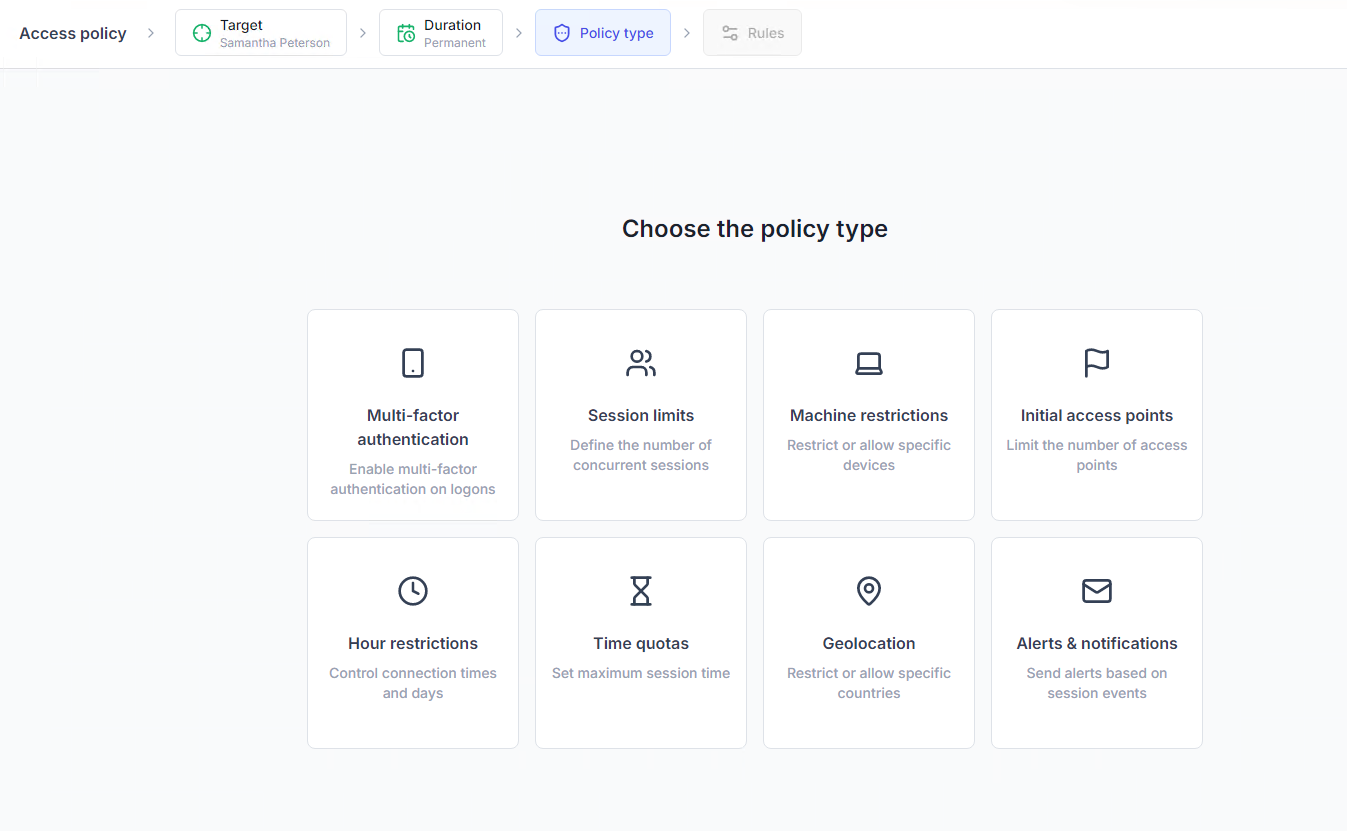
Admins can limit concurrent sessions or restrict access by device, geolocation, session type, or time. This means even if a credential is stolen, its misuse can be contained.
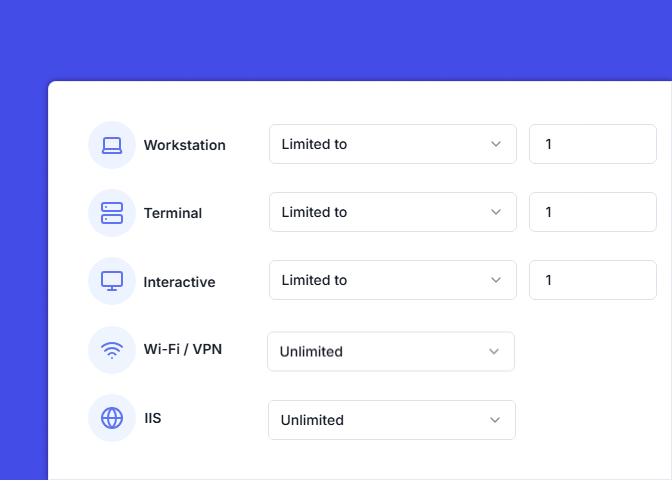
Monitoring user behavior is essential, but native AD doesn’t provide much help here. That’s where UserLock steps in with real-time session management and alerts.
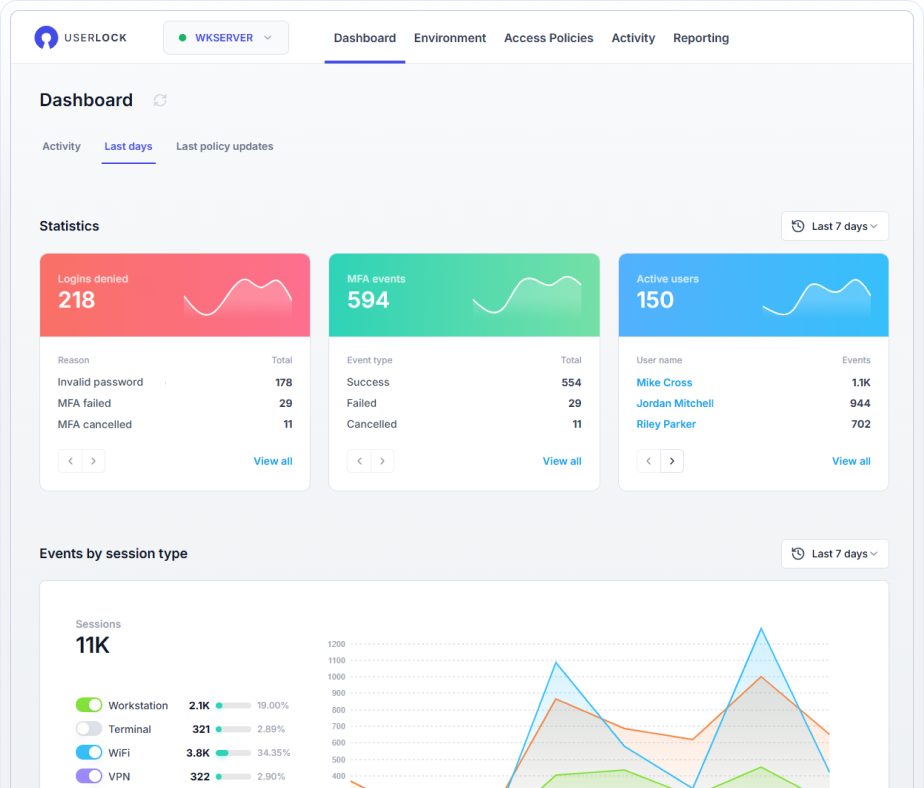
Admins can set up alerts to get notified instantly for any unusual access. To reduce noise, alerts can be customized by access event and session type.

To defend the network, IT teams need visibility and control, especially in core services like Active Directory. Relying on perimeter security alone isn’t enough.
Implementing MFA is a critical piece of the puzzle, but not the only one. Good network defense also depends on the ability to control access contextually and prevent privilege escalation.
UserLock offers both, with a comprehensive approach to the problem of verifying on-prem identity and controlling access in a fully on-prem or hybrid world.
Protecting user/account credentials with MFA, while giving IT full control over application, so that it doesn’t become a barrier to employees.
Enforcing contextual access controls across all accounts, not only high-value privileged accounts.
Implementing MFA beyond the initial logon and on privilege elevation requests (UAC prompts).
As a whole, admins can implement UserLock to achieve a zero-trust security approach to AD authentication inside as well as outside the network.